
1. Create your Clean Me and Stripe account
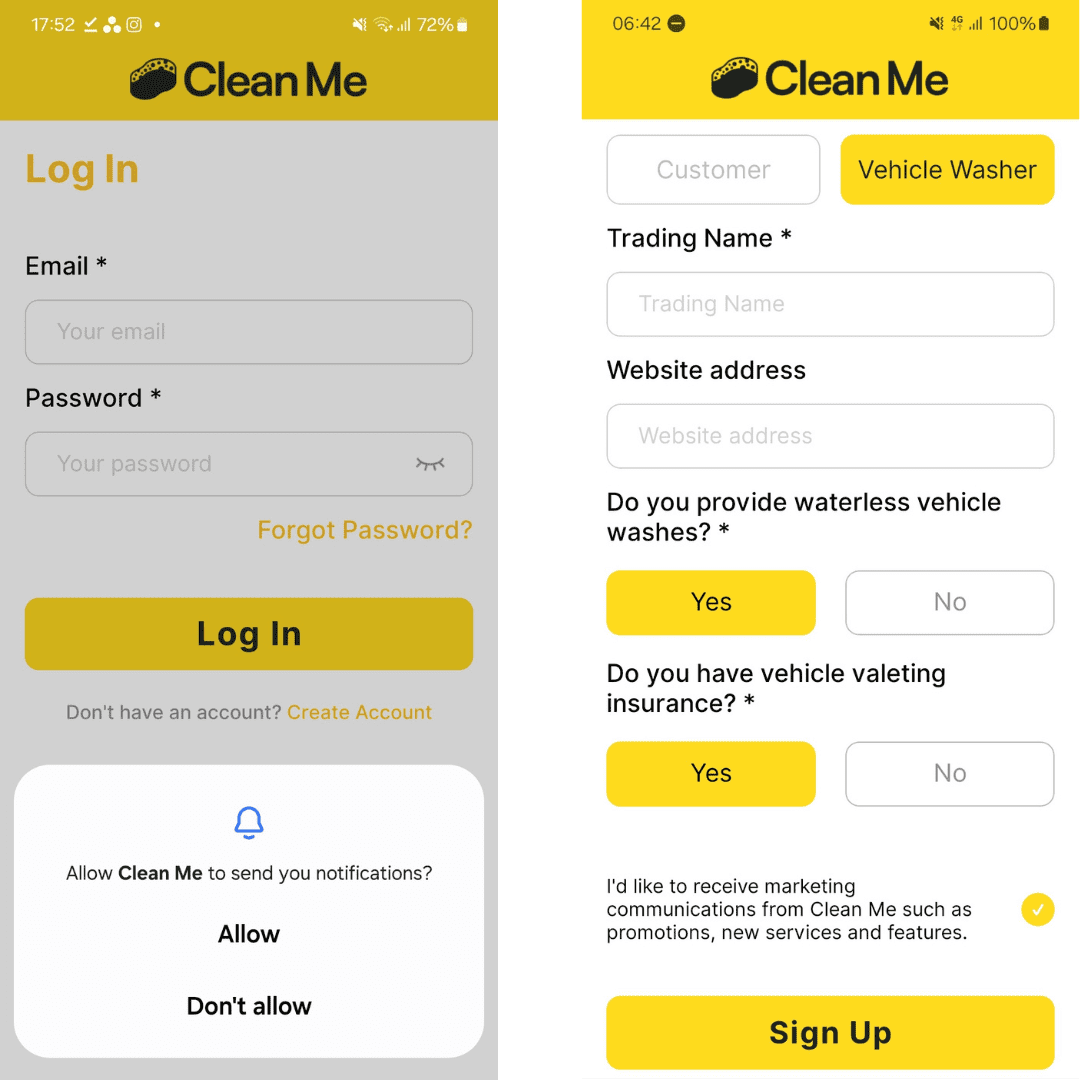
When you first install the App you will be asked to allow Clean Me to send you notifications. Please "Allow" this to ensure you are notified of key updates such as new orders and customer messages.
Tap "Join as a business"
Choose whether you'll offer car cleaning services, carpet cleaning services or both.
Complete all mandatory fields.
Next, you will be prompted to set up your stripe account.
Follow all the steps here to ensure you are connected to stripe so you can receive payment for your bookings.
Once this is done, you will return to the app where you can tweak your services and update your profile.
2. Set up your service profile
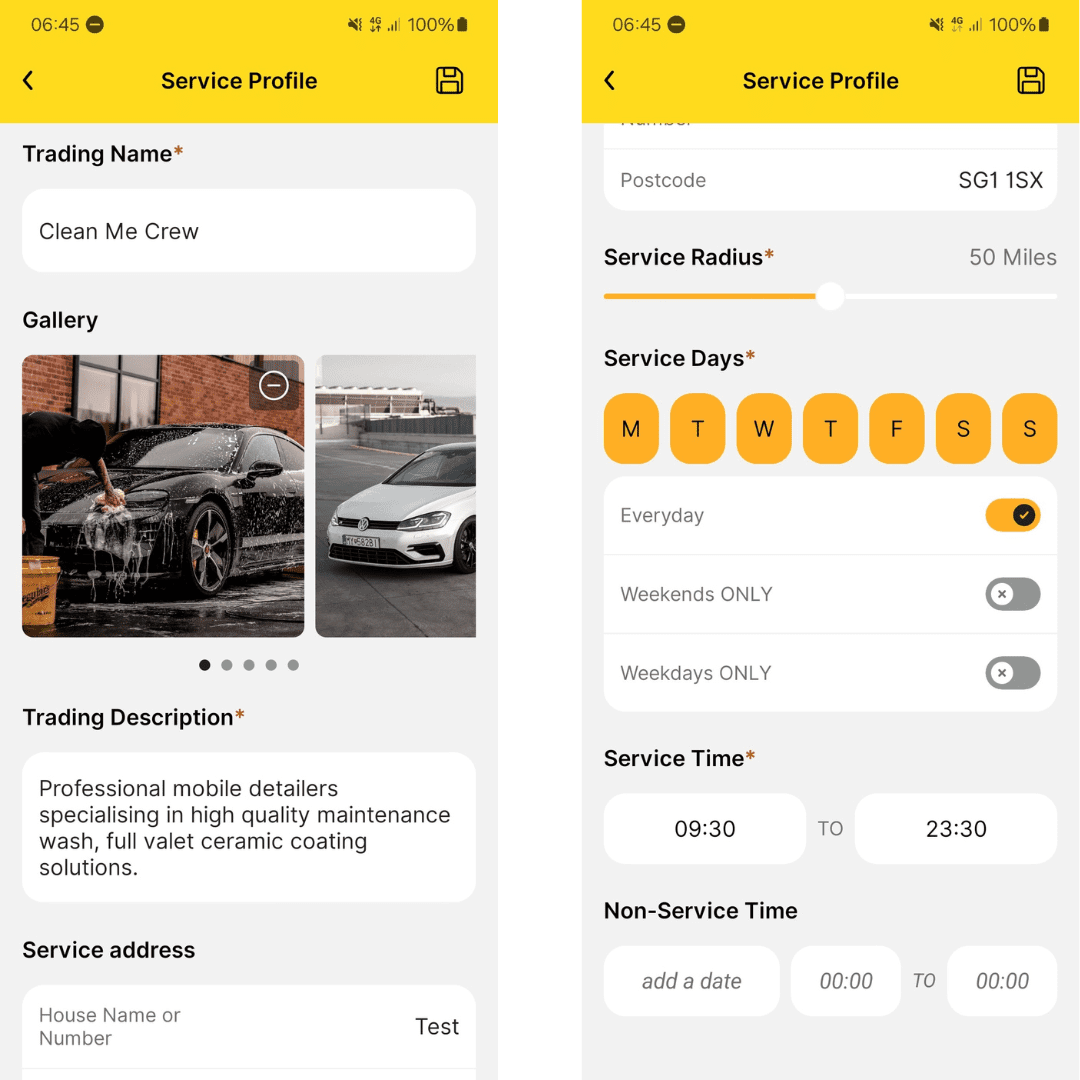
Go to the "Profile" tab and complete your "Service Profile". This information is used for your business profile page on the app and is customer facing. You will need to upload a professional picture of yourself for your profile picture. Business logo's are not allowed. You should also include at least 3-4 high quality images of your work and a unique description about your business to increase customer consideration.
Service Address: This enables us to match customers to you based on the addresses you've both provided.
Service Radius: This influences which customers can book you based on how far away they are from your service address.
Service Days: Select all days you are available for bookings.
Service Time: Set your start and closing time. This ensures customers can only book you for services that will be completed within this time plus 1 hour for travelling between appointments. For example your service end time is 5pm. A customer wants to book a 2 hour service with you. The latest they can book you is 2pm to allow 2 hours for the service + 1 hour for you to travel to the next appointment/home.
3. Update your services
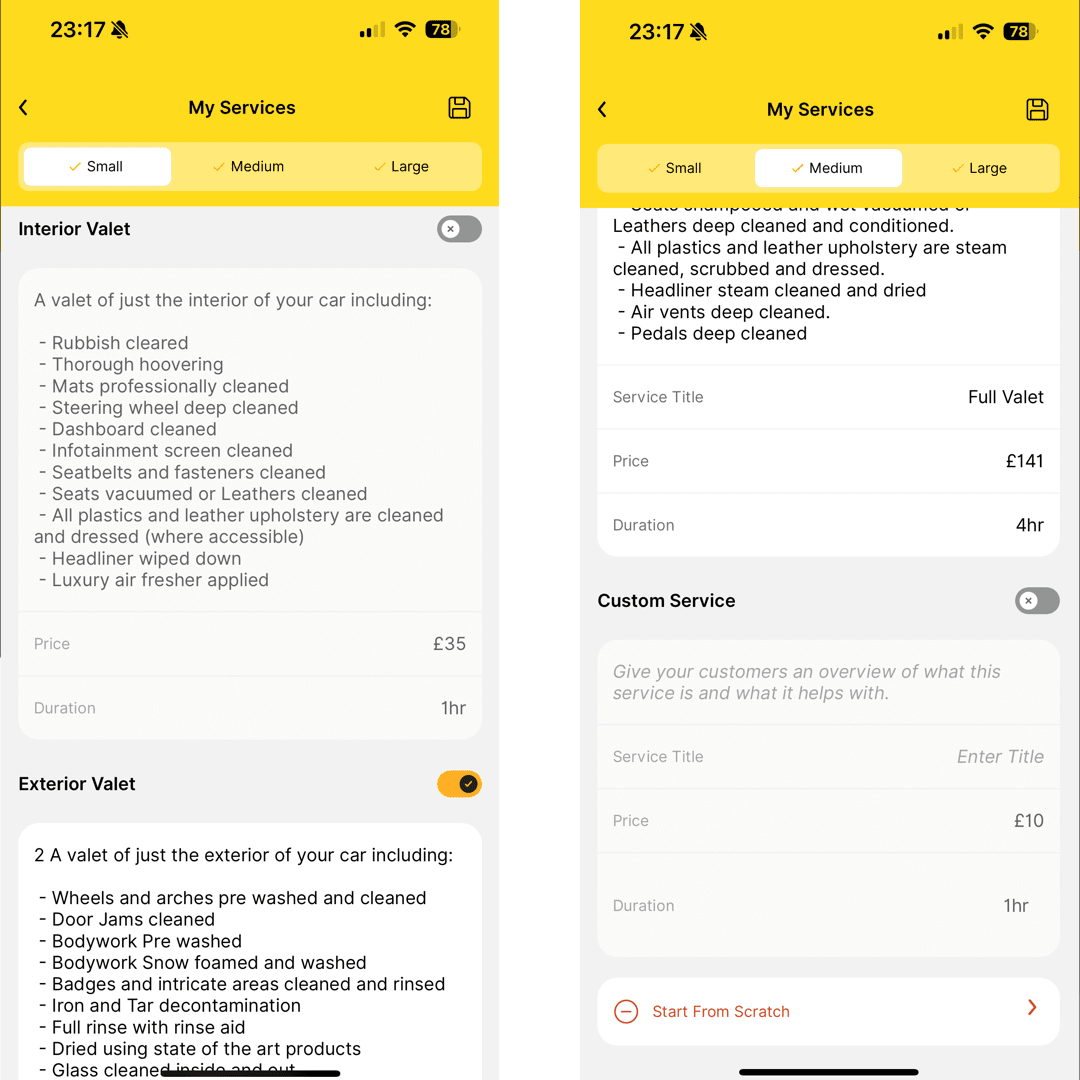
Navigate to the 'My Services' screen and make sure that you're happy with the price and duration of your services for all vehicle sizes.
We pre-define the services for you and have caps on the price and duration of services to avoid common mistakes and ensure that our operators are booked. as much as possible.
You can also toggle specific services on and off on this screen, as well as adding custom services (e.g. Ceramic coating).
4. Sync external calendars
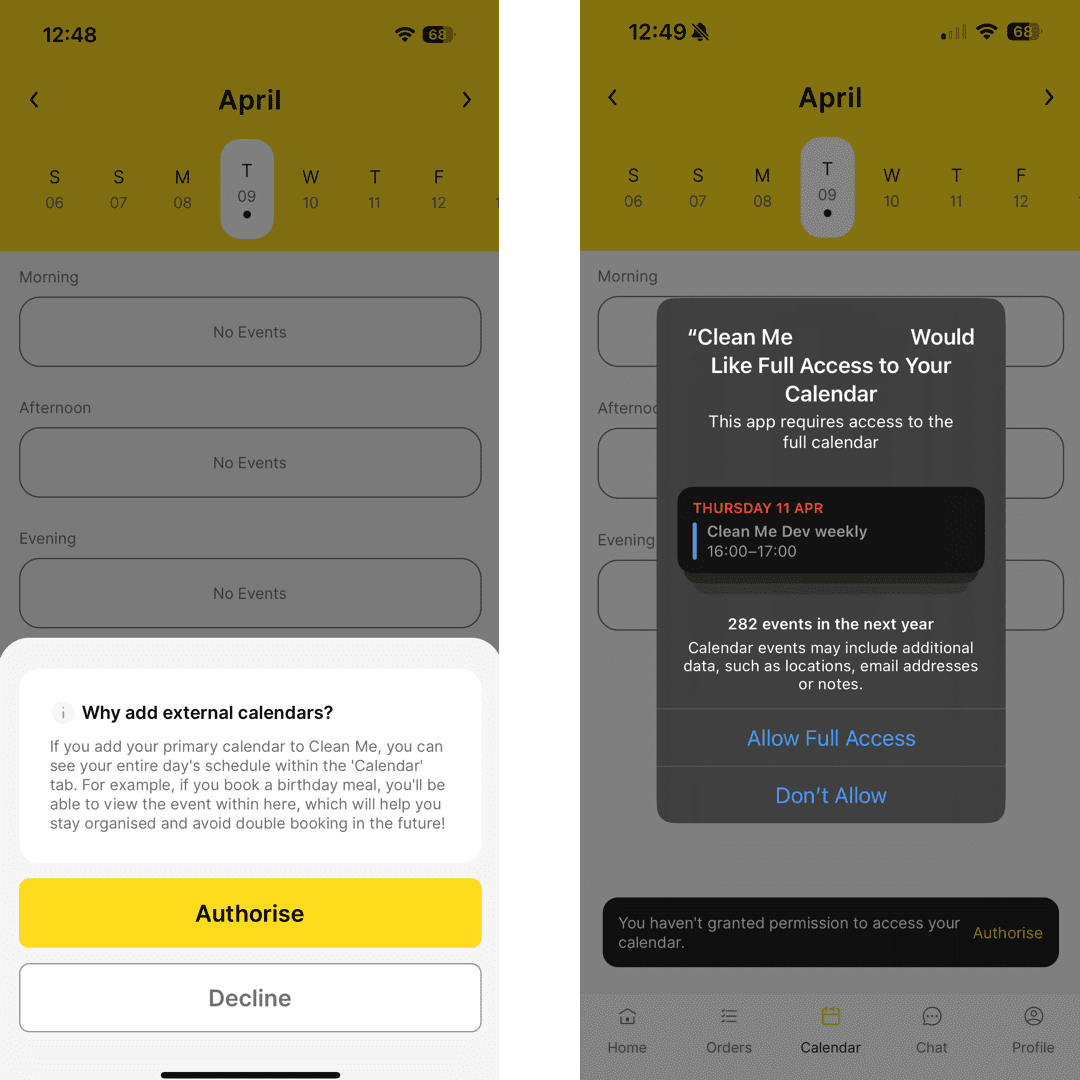
Authorise the Clean Me app to add your external calendar. This not only allows us to accurately show potential customers your availability but provides you with a centralised place to view and manage all your bookings.